All Projects Trades · Operations · AI

The Tree Service

Role Solo Designer-Developer
Timeline 4 Weeks
Stack Next.js · Supabase · Vercel · Tailwind
AI Claude Code as dev partner
Year 2026
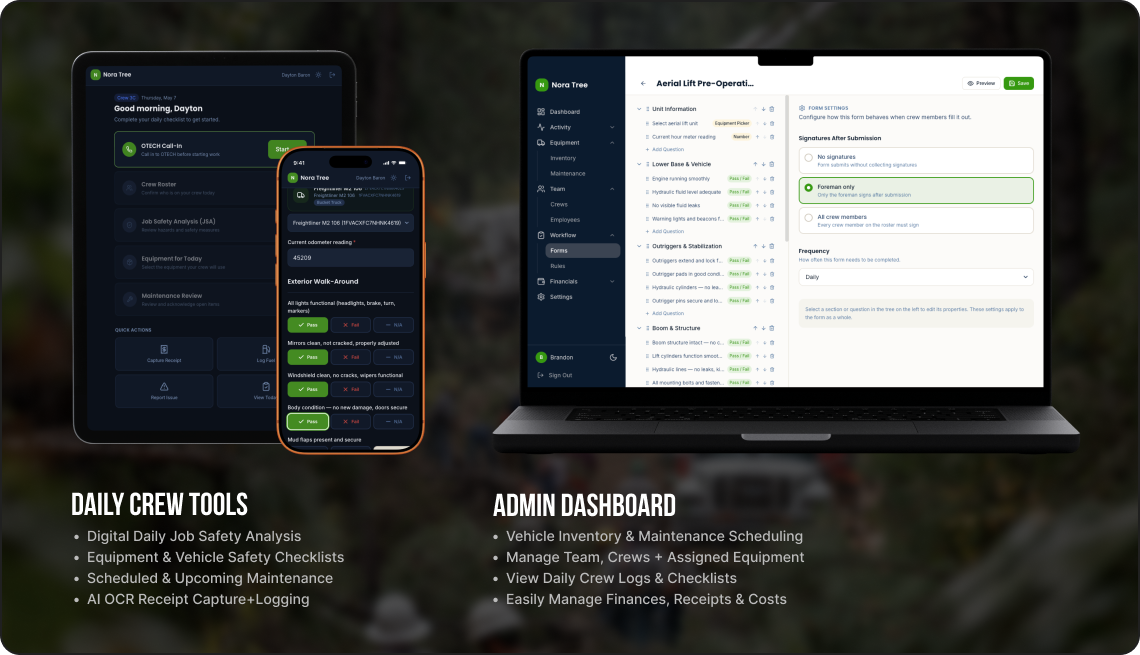
The Tree Service — daily crew tools and admin dashboard mockup

Most field-ops software is built for the office. Brandon’s crew fills it out covered in mulch with chainsaw chaps still on. The brief was simple: rebuild the daily routine from the truck seat backwards, then give the office whatever falls out of that. This is what fell out.
The stack Brandon already had.

The crew wasn’t the problem. The tools were too generic, and admin took an hour every night reconciling four sources to know what happened that day.

  • Paper JSAs Filled out at the yard, then forgotten on the dashboard. No record of who signed what.
  • Versabit $50/mo. Abandoned because nobody could onboard a crew member without a half-day of training.
  • Samsara $35/mo per truck. Gives location. Gives nothing else.
  • Tupperware A literal Tupperware on the office shelf, full of fuel receipts. The accountant’s least favorite drawer.
  • A spreadsheet One list of equipment. Half of it accurate. The other half in someone’s head.

One tool, four subscriptions retired.

I rode along for two days, designed for the truck instead of the office, and shipped a single tool in four weeks that replaced the whole stack. Every decision after week one had to survive the same test: does this make a guy in gloves faster, or slower?

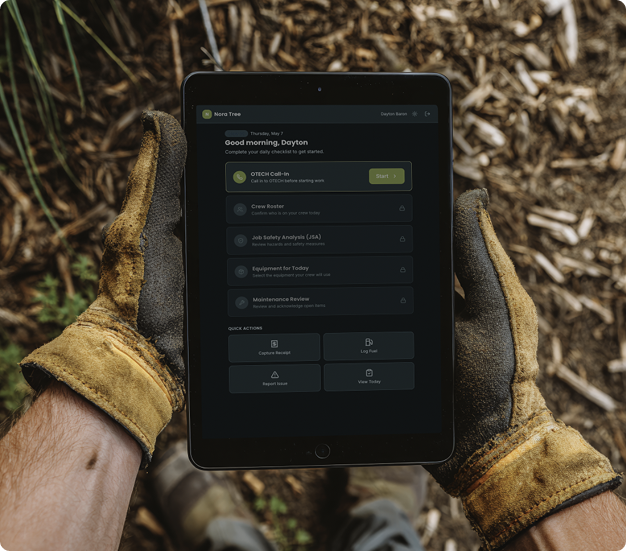
A crew member in work gloves holding an iPad showing the daily checklist

Designed for the truck.

Filled out each morning before the crew leaves the yard. 90 seconds, signed digitally, done.

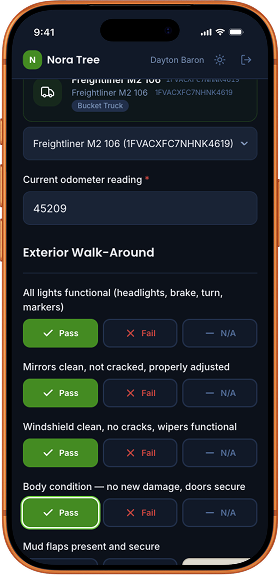
A pre-trip vehicle inspection in progress on a phone, showing pass/fail buttons

What makes it not suck on a worksite.

The crew uses this in gloves. Half of them have rural cell service. None of them want a forgotten password between them and a paying job.

  • 48px touch targets — gloves don’t do thumbnail-sized buttons.
  • Tap-your-name PIN flow — no usernames, no email, no “forgot password” at the yard.
  • Camera-first capture — receipts, defect photos, signatures land directly in storage. No copy-paste, no data URLs.
  • Version-locked submissions — when Brandon edits a form template, last week’s signed forms still render exactly as the crew filled them. OSHA likes that.

Manage the entire fleet.

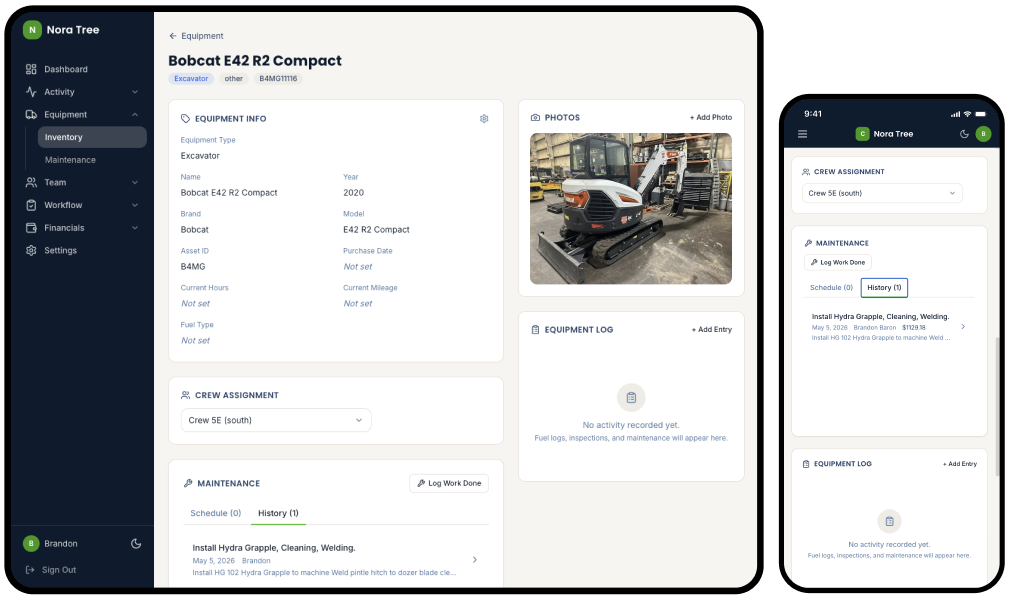
43 pieces of equipment imported from Brandon’s insurance schedule on day three. Each one tracks its own maintenance schedule, parts costs, fuel logs, inspection history, and crew assignment.

Equipment detail page showing the Bobcat E42 with photos, info, crew assignment, and maintenance history
Equipment · Inventory + Detail Photos, specs, custom fields, crew assignment, insurance, and a live activity log — per piece, per day.
MAINTENANCE HISTORY · DESKTOP
Maintenance · History & Spend Brandon used to log a parts purchase by writing it on a sticky note. Now he taps Log Work Done, uploads the invoice photo, and the cost rolls up against the equipment’s lifetime spend.
4 wks
From kickoff to crew using it daily.
4 → 1
SaaS subscriptions retired. One tool replaces the stack.
7
Paper forms eliminated. JSA, pre-trip, aerial-lift, and more.
43 + 16
Pieces of equipment + drivers migrated to live data on day three.

“I can’t believe how simple this is compared to the other app we’ve tried before.

— Dayton, General Foreman

“This is some seriously awesome sh!t.”

— Brandon, Owner of The Tree Service

“Bring me your ideas. Seriously, I am making this for you. How do you want it to work?”

— Hunter, the guy making this tool

Your business has its own Tupperware of receipts.

I build custom AI-assisted tools for small businesses — one tool, custom-fit, that replaces the stack of half-used SaaS subscriptions you’re paying for. If that sounds like you, let’s talk.

Email Me More Work
Next Project Mutual